Tag Data Types
This page describes the data types that can be applied to standard tags.
The data type of a tag is determined by the Data Type property in the Tag Editor The tag system will attempt to coerce incoming raw values (for example, from OPC or a SQL query) to the configured type.
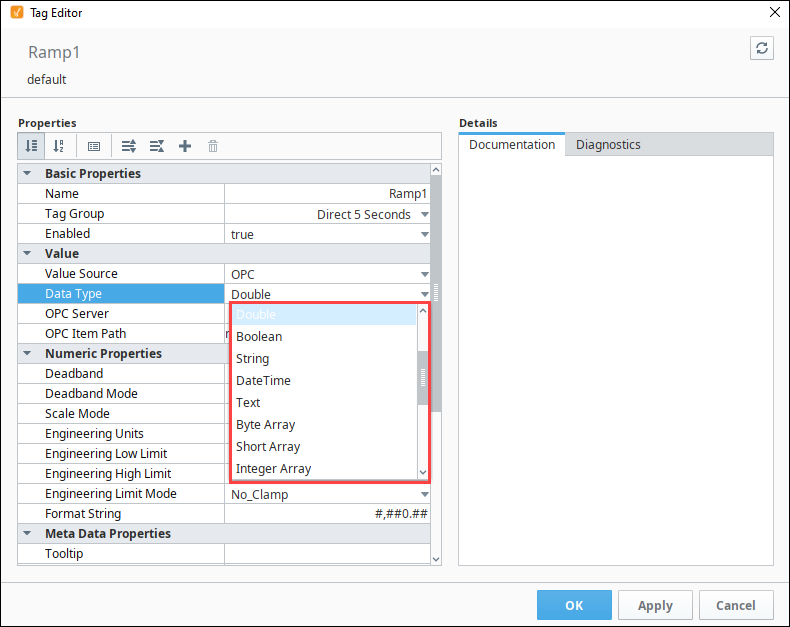
The following table lists all data types available for tags.
| Data Type | String Value | Integer Value |
|---|---|---|
| Byte | Int1 | 0 |
| Short | Int2 | 1 |
| Integer | Int4 | 2 |
| Long | Int8 | 3 |
| Float | Float4 | 4 |
| Double | Float8 | 5 |
| Boolean | Boolean | 6 |
| String | String | 7 |
| DateTime | DateTime | 8 |
| Text (Deprecated) | Text | 10 |
| Byte Array | Int1Array | 17 |
| Short Array | Int2Array | 18 |
| Integer Array | Int4Array | 11 |
| Long Array | Int8Array | 12 |
| Float Array | Float4Array | 19 |
| Double Array | Float8Array | 13 |
| Boolean Array | BooleanArray | 14 |
| String Array | StringArray | 15 |
| DateTime Array | DateTimeArray | 16 |
| Binary Data | ByteArray | 20 |
| Dataset | DataSet | 9 |
| Document | Document | 29 |
The Siemens driver supports the DateTime data type for the following devices:
- S7-300
- S7-400
- S7-1500
Array and Dataset Data Types
The Array and Dataset data types allow multiple data points to be stored in a single tag. To configure a tag as an array or dataset, change the Data Type property in the Tag Editor.
Most OPC servers do not support Array or Dataset data types. These types work best when used on Query tags or Memory tags. When working with arrays through OPC UA device drivers, it is recommended to create separate Ignition tags for each array element instead of using a single tag.
Array Types
For OPC servers and drivers that support Array type tags, each element in the array can be represented using the Array data types in Ignition. Since all elements share the same core data type, configurations applied to the tag, such as tag history, alarming, or scaling, are inherited by each element.
Array tag types accept and coerce JSON array values, allowing methods such as jsonGet.
Write-Back
OPC array tags support writing values back to the device. How this occurs depends on the OPC server implementation. Some OPC servers support writing to individual array elements, allowing writes to occur just like any other tag write. However, other OPC servers do not support individual element writes. In these cases, the entire array must be written back to the array tag even if only a single element changes.
Dataset Types
Dataset types allow multiple rows and columns of data to be stored in a single tag. Each column appears as a separate folder in the tag. For example, the name folder shown in the image below.
Dataset types can be driven by a query, making it possible to retrieve multiple columns in a single query. This is more efficient than using multiple Query tags that each execute separate queries.
While datasets are convenient, note that the Tag History system and Alarm system do not support Dataset tag types.
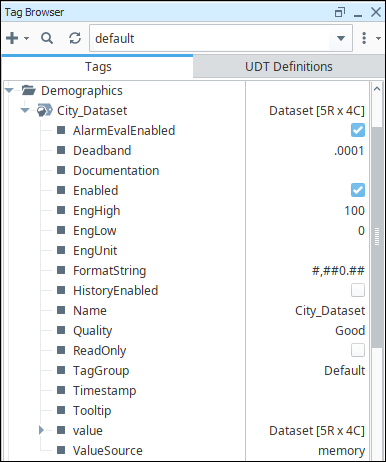
Valid data types that can be stored in Dataset type tags include:
- Float
- Short
- Long
- Date
- Integer
- Boolean
- String
- Color
- Double
- Timestamp
- Byte Arrays
Dataset Tag Example
The following example will create a dataset Memory tag and display the contents in a Table component.
-
Create a new Memory Tag. Name it Dataset, and set the Data Type to Dataset. The dataset will be empty by default.
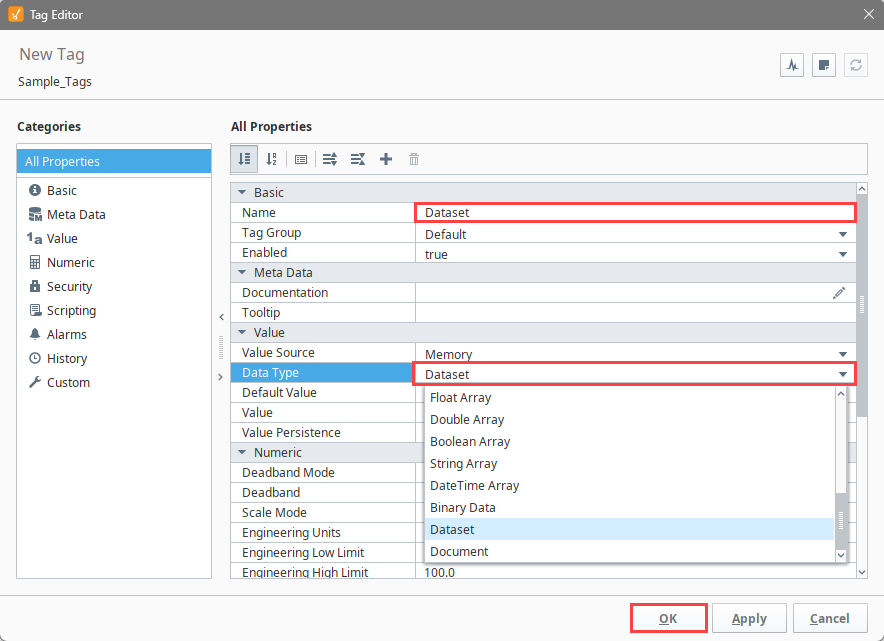
-
Click the Edit
 icon next to Value to edit the dataset. For this example, create a simple dataset with four columns and five rows.
 -
Click the Add Column
 icon. Name the first column City and set the type to String.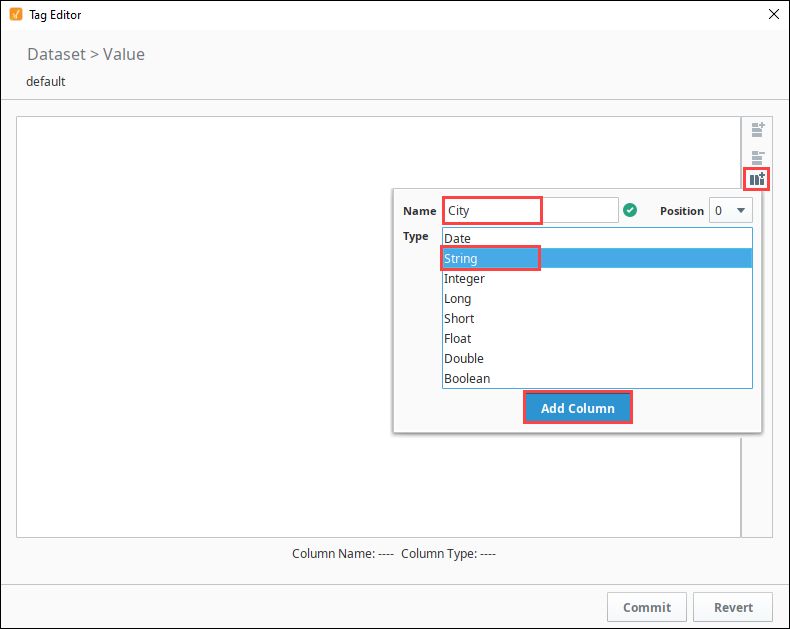
-
Add the following columns:
- Name: Population
- Type: Integer
- Name: TimeZone
- Type: String
- Name: GMTOffset
- Type: Integer
- Name: Population
-
Click the Add Row
 icon and enter the following values.
New York 8368710 EST -5 Los Angeles 3833995 PST -8 Chicago 2853114 CST -6 Houston 2242193 CST -6 Phoenix 1567924 MST -7 -
Click Apply.
-
Click OK to save the tag.
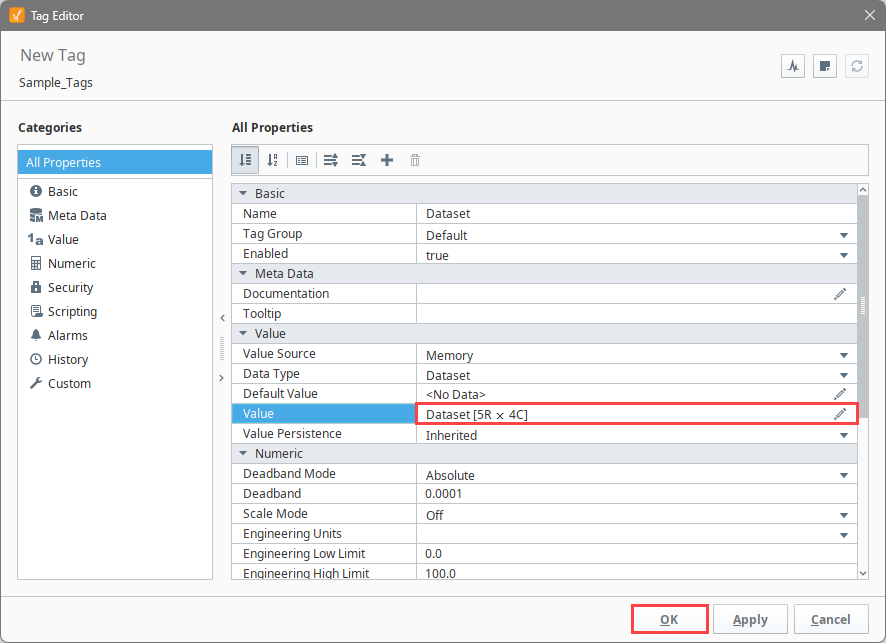
The tag now contains rows, columns, and values based on the configuration created in this example. The dataset value can be bound to components in Vision and Perspective.
Document Type
The Document type allows a tag to store a JSON document as its value.
The Tag History system and most OPC servers do not support the Document data type. This type works best when used on Query tags or Memory tags
Click the Edit icon for the Value field to open the JSON Editor, which will allow you to manually write JSON values directly. Then, click Add Object Member to add new members to the JSON object. When finished, click Apply.
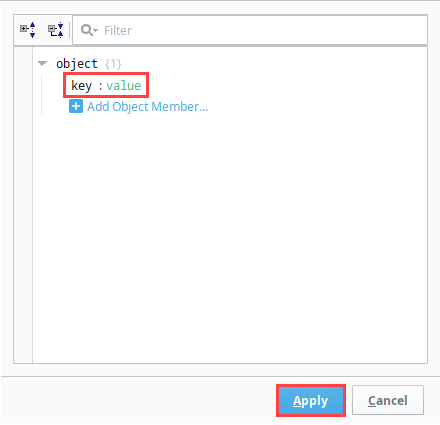
The tag value now appears as a JSON document in the Tag Browser.

The Document type will now accept and coerce PyDictionary values.