Query Bindings in Perspective

The Query Binding allows you to pull data from the database using a named query. In Perspective, the Query Binding requires the use of Named Queries. You can't type a query here from this interface, a Named Query must already exist. You can also add transforms. For more information, see Transforms.
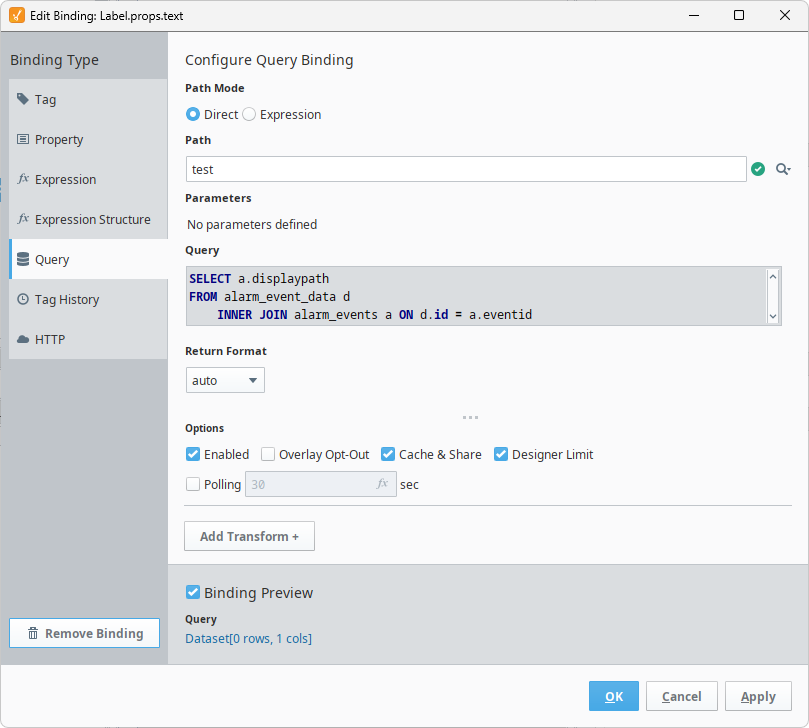
Binding Properties
| Property Name | Description |
|---|---|
| Path Mode | New in 8.3.7 Allows users to choose between binding a direct path to a Named Query, or using an expression to make the binding dynamic. |
| Path | The path to the Named Query the binding will use. Clicking on the Search  icon will produce a list of all available Named Queries. icon will produce a list of all available Named Queries. |
| Parameters | Displays a table of all defined Named Query parameters. This field will be different depending on if you select Direct or Expression for the Path Mode. Differences include:
|
| Return Format | Specifies how the query results are returned. Options are:
|
| Options | A set of various options related to the Query binding itself. See the Options table below for more information. |
| Binding Preview | A toggleable field that gives a preview of what the Query Binding will look like. |
Options
| Property Name | Description |
|---|---|
| Enabled | Allows the component to be enabled and interactive (depending on the component) on the screen. |
| Overlay Opt-Out | Indicates whether the component should reflect the quality code with a component overlay if the target of the binding returns a non-good quality code. |
| Cache & Share | When enabled, the query will utilize a polling engine that is shared across all running Perspective sessions. This optimization is helpful for consolidating multiple identical polling tasks, particularly when you have many Perspective sessions running at once. The polling engine will run the query once, cache the value, and then deliver the results to all registered consumers. The cache persists for a period of time that matches the configured poll rate. If polling is off, the default cache duration is 250 milliseconds. Disabling this option will bypass the cache. |
| Designer Limit | Forces the results of the query to be limited to a few rows when run in the Designer. |
| Polling | Sets the polling mode of the Named Query binding based on the polling rate, in seconds. |