Perspective - AI Chat Scripting
This page details the component-specific functions available for Perspective's AI Chat component. Right-click on the component or select Components from the Designer menubar to access the Configure Events and Configure Scripts popups.
Component Events
The Perspective Event Types Reference page describes all the possible component event types for Perspective components.
receivedResponse
Fires when the agent finishes answering, whether the user sent the message, or a script did. Carries the reply and the tools the agent ran to produce it. Failed and cancelled turns do not fire this event, and neither does a turn that answers with no text. Calling this component's own sendMessage from this handler is refused with an error, since the reply would fire this event again and the conversation would never settle. Driving a different AI Chat component from here is allowed.
| Object Path | Type | Description |
|---|---|---|
| event.requestId | String | Identifies the turn that produced this reply. |
| event.text | String | The agent's final reply. |
| event.toolCalls | List | The tools the agent ran for this turn, in the order it ran them. |
Agent Tools
The AI Chat component allows you to interact with other resources in Perspective using custom Agent Tools. These Agent Tools are different from the Catalyst Agent Tools, which allows you to interact with Gateway Resources.
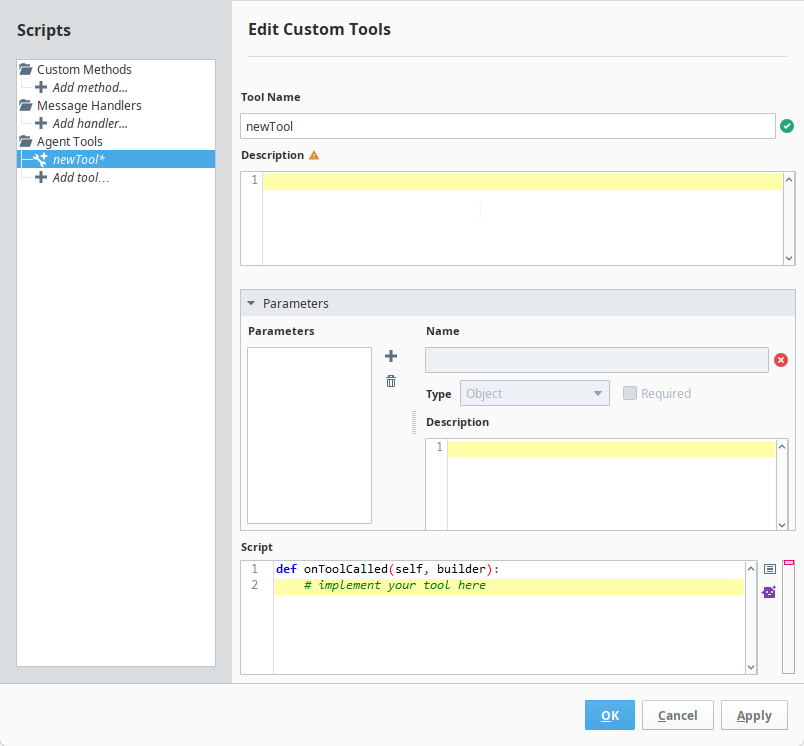
See the Perspective AI Chat page for an example of how to use Agent Tools.